
Short answer
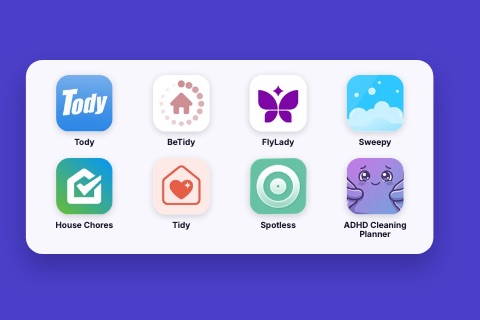
Only two of the eight cleaning apps we checked say outright that you can start without an account: FlyLady, whose App Store listing says "No login required", and ADHD Cleaning Planner, which we make. Sweepy's own site shows an account sign-in. For Tody, House Chores, Tidy, BeTidy and Spotless we found no statement either way.
On this page
- Quick comparison
- Does the FlyLady app need an account?
- Does ADHD Cleaning Planner need an account?
- Does Tody need an account?
- Does Sweepy need an account?
- Does House Chores need an account?
- Does Tidy need an account?
- Does BeTidy need an account?
- Does Spotless need an account?
- Where ADHD Cleaning Planner falls short
- Which one should you choose?
We make ADHD Cleaning Planner, which is one of the apps in this comparison. We have tried to be fair to all of them, including where another app is the better choice.
Many people would rather not create an account just to find out whether a cleaning app suits them. This article asks which of the cleaning apps people compare let you start without one. The honest answer is that app stores rarely say, so for most apps below we can only tell you what we could and could not confirm. If your question is about price instead, we have covered what each app gives you for free separately.
Quick comparison
We checked the public store listings and developer sites on 13 November 2026. Prices differ by country and change often, so we describe how each app is paid for and leave the amounts to the store.
| App | Platforms | How it is paid for |
|---|---|---|
 FlyLady | iPhone, iPad, Android | Free to start; subscription for full access |
 ADHD Cleaning Planner | iPhone, iPad, Android | Free plan; optional paid Premium |
 Tody | iPhone, iPad, Android | Free plan; paid Premium and Premium+ with a 30-day trial |
 Sweepy | iPhone, iPad, Android | Free to download; monthly or yearly subscription with a 3-day trial |
 House Chores | iPhone, iPad, Android | Free to download; in-app purchases |
 Tidy | iPhone, iPad, Android | Free to download; optional monthly or yearly subscription |
 BeTidy | iPhone, iPad, Android | Free Basic plan; Pro subscription |
 Spotless | iPhone, iPad | Free to download; subscription or one-time purchase |
One thing to keep apart: buying a subscription goes through your Apple or Google store account. That is not the same as an account with the cleaning app itself, and it is the second kind this article is about.
Does the FlyLady app need an account?
It says it does not, for the free start. The FlyLady App Store listing ends with "Start free. No login required." It is the only competitor in this article that states this in its own listing. The app follows the FlyLady Method, with ready-made routines, and full access is a subscription.
Less good: the listing does not say whether that holds for every feature once you subscribe. In public reviews we analysed in June 2026, some reviewers described sign-in problems, including being asked to link a Google account. We could not reconcile that with the listing, so try the free start first.
Best for: people who want a ready-made routine and a start with no login. We also looked at what could replace the FlyLady app.
Does ADHD Cleaning Planner need an account?
No, there is no sign-up of its own. ADHD Cleaning Planner, which we make, keeps your rooms, tasks, photos and videos on your device, and the app's privacy text describes iCloud sync as optional. It starts with common rooms already split into small tasks, so there is little to do before you can try it. How ADHD Cleaning Planner works, screen by screen shows what that looks like.
Less good: with no account of ours, there is no way to put a plan on someone else's phone. It is built for one person.
Best for: one person who wants to open the app and begin, especially if starting is the hard part.
Does Tody need an account?
We could not confirm either way. Neither the Tody App Store listing nor the developer's pricing and FAQ pages say whether you need to sign up. What they do say is that the free plan is for one person, with no ads, and that Premium+ adds household sync. One public review we read in the June 2026 analysis described it as "no sign up required", but that is a single reviewer's experience, not a statement from the developer.
Less good: for a shared plan you would pay for Premium+, and in the same analysis, paying to share was a recurring complaint. We compared the two best-known apps in Sweepy vs Tody.
Best for: one person who wants a free plan that works out what is due, and who is happy to check the sign-up step in the app.
Does Sweepy need an account?
It looks that way. Sweepy's website shows sign-in with Apple, Google or email, and a "Create an account" link. Common Sense Media's review says logging in requires a Google account or an Apple ID. In public reviews we analysed in June 2026, a recurring complaint was that an account was needed before trying the app.
On the plus side, the listing mentions syncing between devices, which is what an account is for. The same listing describes a monthly or yearly subscription with a three-day trial.
Best for: people who are fine with signing in and want their plan on several devices.
Does House Chores need an account?
We could not confirm. The House Chores listing, from Home Tasker, mentions syncing across devices and in-app purchases but does not describe how you sign in. In public reviews we analysed in June 2026, a recurring complaint was that signing in needed a Google or Facebook account, with no email option. That was a review pattern from that month, so the app may have changed since.
Best for: households who want sync and are comfortable signing in. Check the sign-in options on the first screen.
Does Tidy need an account?
We could not confirm. The Tidy listing says the app is free to download with an optional subscription, and does not mention sign-in. Our June 2026 review analysis of Tidy was small, at 144 reviews, so it tells us little about accounts.
Best for: people who want a simple checklist and will test the first launch themselves.
Does BeTidy need an account?
We could not confirm. BeTidy's website describes its free tier as a "free basic account", which may simply mean a free plan, so we do not read it as a statement about sign-up. The Basic plan has unlimited rooms and tasks; reminders, family profiles and rotation are in Pro.
Best for: one person with a long task list, who can do without reminders.
Does Spotless need an account?
We could not confirm. The Spotless listing and the developer's site did not mention sign-in in the parts we read. It is only on iPhone and iPad, and the listing shows both subscriptions and a one-time purchase.
Best for: iPhone users who want a minimal list and would rather pay once.
Where ADHD Cleaning Planner falls short
No account means no sharing. You cannot invite a partner, flatmate or child, or give anyone else a task. Tody says its Premium+ plan adds household sync, and Sweepy, House Chores and BeTidy all offer family features in some form, usually paid. If you split chores at home, one of those will fit better than ours.
Which one should you choose?
- You want a stated no-login start and a ready-made routine: FlyLady.
- You live alone and starting is the hardest part: ADHD Cleaning Planner, which we make.
- You want a free plan that works out what is due: Tody. Check the sign-up step before you set up the house.
- You share chores and are happy to sign in: Sweepy, House Chores or BeTidy.
What do you need most?
Because the listings say so little, a short test beats any article: install the app, and see whether it asks you to sign in before it shows you a single room. If it does, you have your answer. For the wider picture beyond sign-up, see the best cleaning schedule apps overall.
Frequently asked questions
Which cleaning apps work without an account?
Of eight cleaning apps we checked, two say so themselves. The FlyLady App Store listing says "No login required", and ADHD Cleaning Planner, which we make, has no sign-up of its own. For Tody, House Chores, Tidy, BeTidy and Spotless the listings and sites we read do not say, so open the app and see before you set up your home.
Does the Sweepy app need an account?
Probably. Sweepy's website shows sign-in with Apple, Google or email and a "Create an account" link. Common Sense Media's review says logging in requires a Google account or an Apple ID. In public reviews we analysed in June 2026, a recurring complaint was that an account was needed before trying the app.
Does the FlyLady app need a login?
Its App Store listing says "Start free. No login required." In public reviews we analysed in June 2026, some people described trouble signing in or being asked to link a Google account. We could not tell from the listing which features that applies to, so test the free start before relying on it.
What do you give up with a cleaning app that has no account?
Mostly sharing. An account is how most apps put one plan on several phones. Tody says its Premium+ plan adds household sync, and ADHD Cleaning Planner has no household sharing at all. If you clean alone, that costs you nothing. If you split chores with someone, you may want an account.