Short answer
A gamified cleaning app turns real chores into progress you can see: points, unlocks or a world that grows as you clean. It helps when the reward is small, comes straight away and is tied to a real task. ADHD Cleaning Planner does this with a little home you decorate, one piece per cleaning goal, plus streaks and milestones.
On this page
A gamified cleaning app is a chore app that borrows from games: points, streaks, unlocks, or a little world that grows each time you finish a real task. The good ones do not make cleaning fun in itself. They make progress visible and give you something small back straight away, which is exactly the part a clean kitchen is bad at. Whether that helps depends less on the app than on how the rewards are tied to the work, and when it works, it works because the reward is small, immediate and earned by something you really did.
Why rewards matter so much with ADHD
Cleaning has a reward problem. The payoff of a tidy room is real but it arrives late, it is quiet, and it disappears again within a day. That is why the dishes feel so endless: the sink refills after the next meal and the reward barely lasts. For a brain that responds strongly to what is new and immediate, a job with a slow, invisible payoff is the hardest kind of job to begin, even when you know it matters. We wrote more about that in why you cannot start cleaning at all.
A game fixes the timing, not the cleaning. It puts something you can see right after the task: a number going up, a piece unlocking, a streak growing by one. That is the whole trick, and it explains when gamification works and when it does not:
- The reward follows a real task. If you can earn it by tapping around, your brain learns to tap around.
- It comes straight away. A reward for "clean the whole house this week" is too far off to pull you into the first five minutes.
- Each round is small. One surface, five items, one room. Big rounds bring back the wall you were trying to get past.
- Losing does not punish you. A streak that wipes out a month of progress after one bad day can make the next day harder, not easier.
And the honest limit: novelty wears off. Most people find a new game exciting for a while and then ordinary. A gamified cleaning app helps most as a way to build the habit while it is fresh, with a plan underneath that still works once the shine is gone.
How to make cleaning a game without an app
You do not need an app for any of this. Some of the simplest games work on paper or with a kitchen timer:
- Beat the clock. Set a timer for five minutes and see how much of one surface you can clear before it rings.
- Count it. Put away ten things, out loud. Counting turns a vague job into a score.
- Cleaning bingo. Write five small tasks on a card and cross them off. A full row earns a coffee, an episode, a walk.
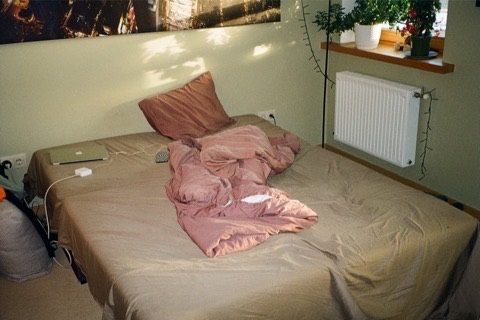
- Before and after. Take a photo of the mess first and another when you are done. Seeing the two side by side is a reward you can look at again later.
The same games work for kids. Racing a timer to put the toys back is the classic, and counting out loud turns it into a score they can beat next time.
The free ADHD cleaning checklist works well as a bingo card: each room is already broken into small tasks you can tick off.
What paper cannot do is keep the score for you over weeks, or unlock something new without you setting it up. That is where an app is worth it.
How ADHD Cleaning Planner turns chores into rewards
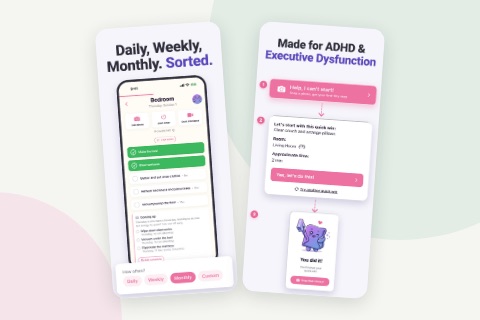
ADHD Cleaning Planner is a cleaning app for iPhone and Android that needs no account. Its main job is the plan: which room and which small tasks today. The game sits on top of that plan, so every reward comes from a chore you really finished. We have a screen-by-screen tour of the whole app; this page is only about the rewards. The screenshots are from the iPhone version.
1. Decorate Swish's home
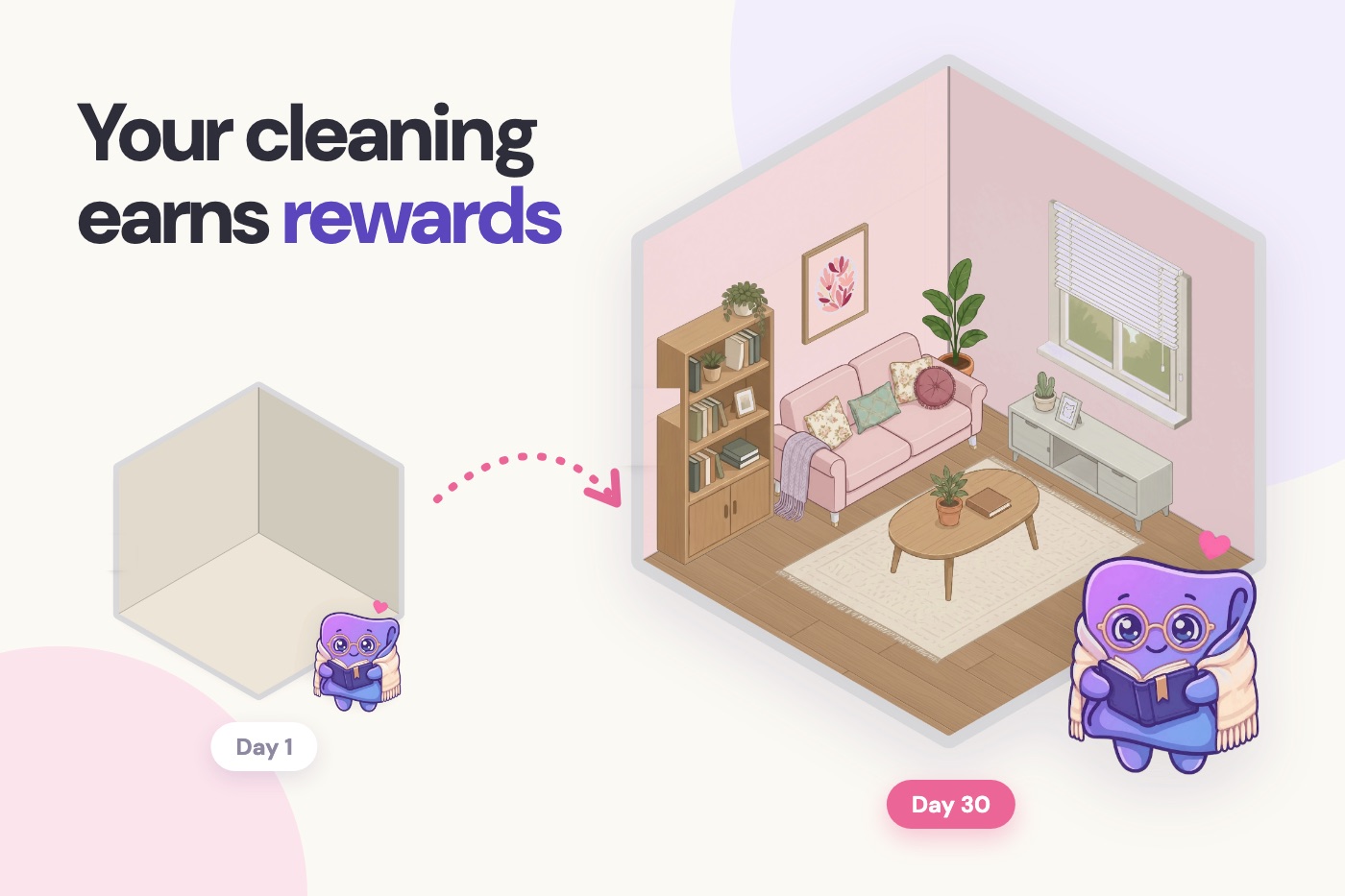
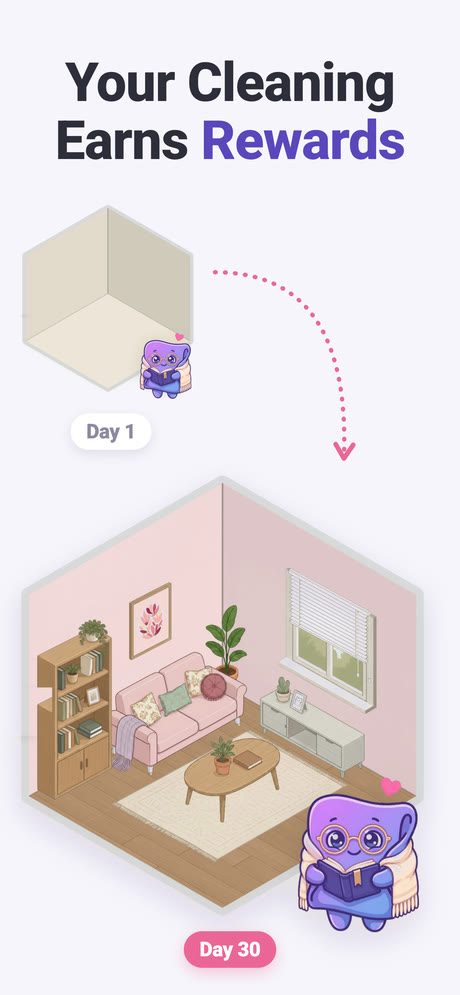
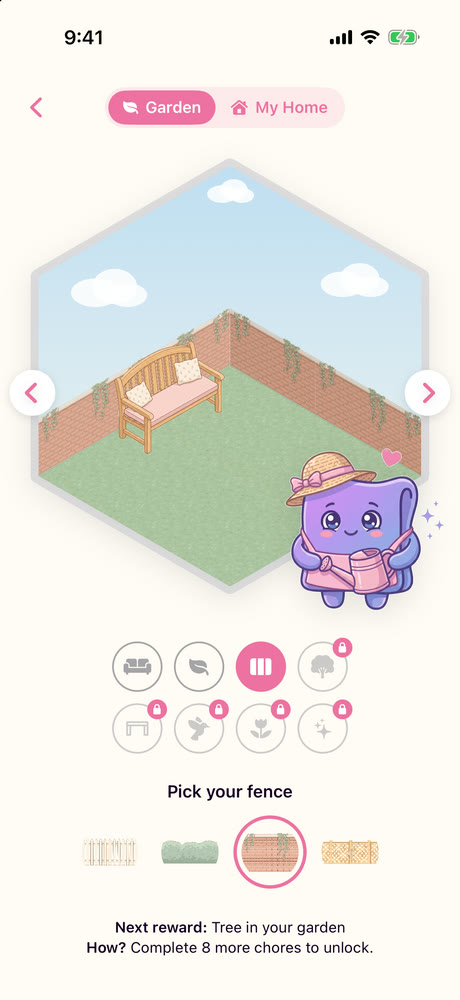
Swish is the app's character, and the reward is Swish's home. The first time you open it, the app says "Decorate Swish's home!" and explains the deal: "Pick your bed now. Every other piece you'll unlock by completing real cleaning objectives." The rooms start empty. Each goal you reach unlocks the next piece for that room: a floor, a window, a rug, a plant, a painting, a couch. When a piece unlocks you get a few options and pick the one you like, so the room ends up looking the way you chose.
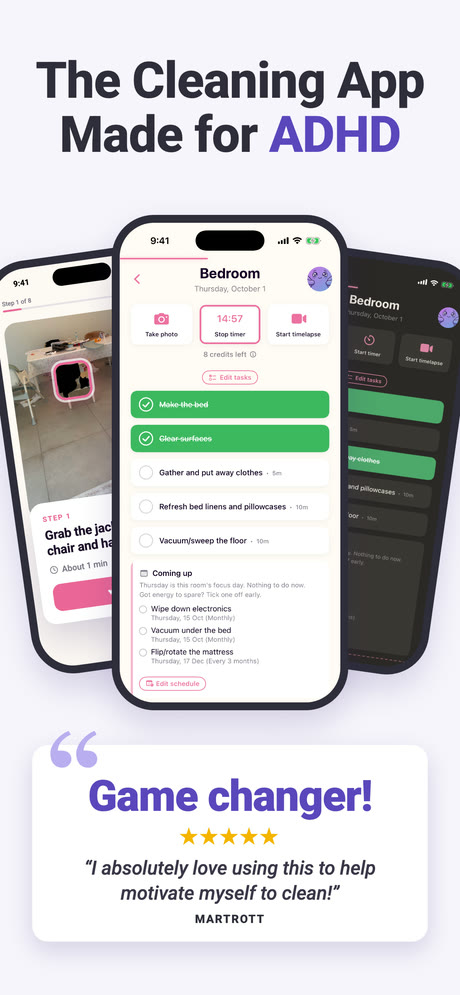
2. You always see the next reward
While you decorate, a hint says Next reward: and what it is, and How? with what it takes, for example "Complete 5 chores to unlock." The goals are real cleaning: completing chores, completing a room, recording a timelapse, or taking a before and after photo. Tap Swish and the same goal appears with a progress count, such as "3 / 5 chores done", and a button that says "I'm on it". That keeps the reward close, which is the part that matters most.
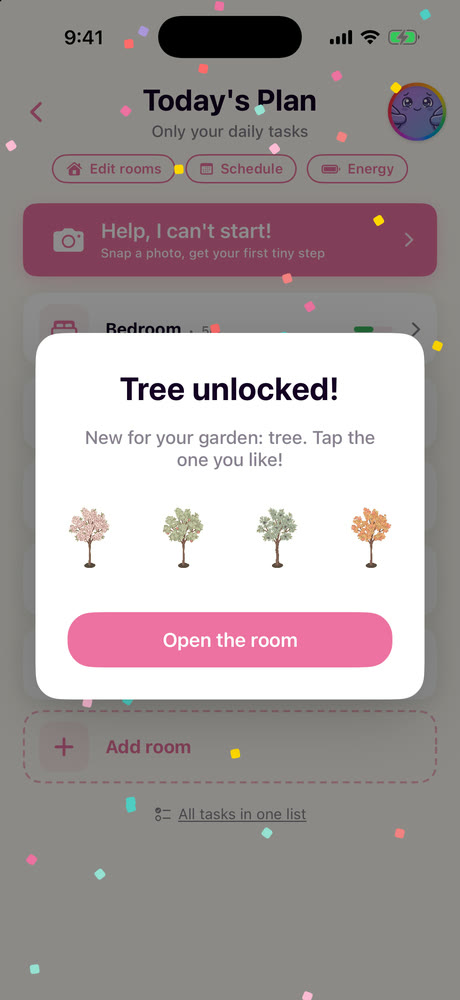
3. One room after another, then the whole house
When the last piece of a room is in place, the app says "Whole room decorated!" and offers the next room. Rooms open in order, so a locked one says which room to finish first. Swish's home has several rooms, from a bedroom to a garden, and My Home shows the rooms you have decorated together as one house. Finish them all and the app tells you: "Every room decorated. Swish is proud of you."
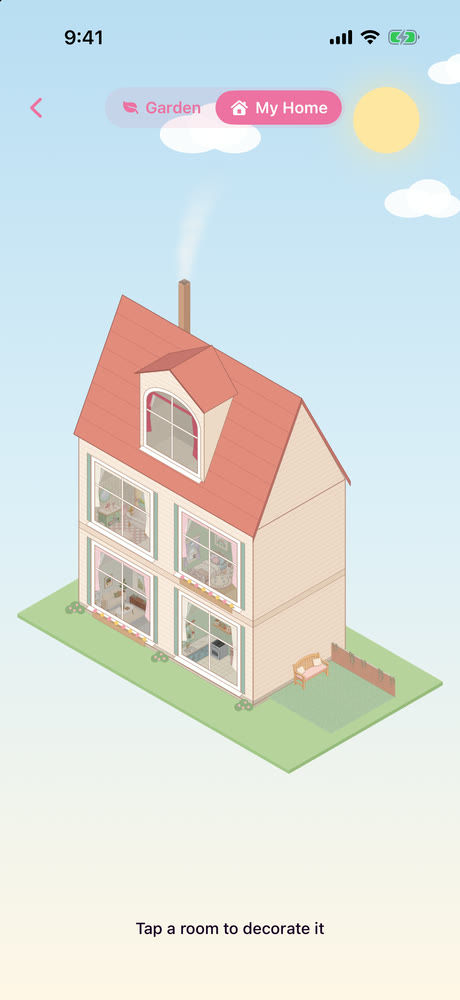
4. Streaks and milestones in My Wins
The second kind of reward is a record. My Wins keeps your before and after photos and timelapses, and its Stats tab shows your current streak next to your longest streak, totals for chores done and rooms cleaned, and milestones with names like First Step (your first chore), Week Warrior (seven days in a row) and Century Club (100 chores). Because the longest streak stays on the screen, one missed day does not erase what you already did.
Small things count too. When a room is done the app says "You did it!", and there is sound and vibration you can switch off in Settings if you prefer quiet.
What it does not do
It is not a family chore game. There is no household, no shared list and no points to compete with a partner, flatmates or kids. If you are looking for a chore chart where children earn rewards from parents, this is not that app.
The game is gentle on purpose. You decorate a home; there is no leaderboard and nothing to win against anyone. If you want a full game that happens to include chores, you may find it too quiet. And for some people any decorating becomes its own distraction, a place to spend ten minutes choosing a rug instead of cleaning. If that is you, treat the rewards as something to look at after a session, not during it.
It is also a newer app. Today its App Store listing shows 4.8 from 109 ratings, a good average on a small number next to apps that have been around for years. If you want to compare it with others, we looked at the best cleaning apps for ADHD, ours included.
Is a gamified cleaning app worth it?
If the hard part for you is that cleaning feels like effort with nothing coming back, yes, a game can give you that small thing back. Choose one where the rewards follow real chores and stay small, and keep a simple plan underneath for the day the novelty fades. ADHD Cleaning Planner was built that way round: the plan first, and a little home that fills up as you work through it.
Frequently asked questions
What is a gamified cleaning app?
It is a cleaning or chore app that borrows ideas from games: points, levels, streaks, unlocks or a character or world that grows as you finish real chores. The cleaning is still real. The game part only makes the progress visible and gives you something small back for each task.
How do you make cleaning a game?
Give it a clock, a score and a prize. Race a timer for one surface, count items put away, play cleaning bingo with five small tasks, or take a before photo and an after photo to compare. Keep each round short and the prize small and immediate.
Do cleaning apps really work for ADHD?
They help with two specific problems: not knowing what to do next, and not feeling any reward for doing it. An app cannot clean for you, and the novelty of a game wears off. It works best when the rewards follow real tasks and the tasks themselves are small.
How do you make cleaning a game for kids?
Use the same games as for adults, kept even shorter: race a timer to put the toys back, count items out loud so there is a score to beat next time, or cross off a small bingo card. A small prize at the end of the round works better than a big one at the end of the week.
How do rewards work in ADHD Cleaning Planner?
You decorate a small home that belongs to Swish, the app's character. You choose the bed first; every other piece unlocks when you reach a real cleaning goal, such as completing a number of chores or a room. The app shows the next reward and what it takes.