
Short answer
A cleaning motivation app cannot give you the wish to clean, but a good one makes starting so small that you do not need it: a timer, one named first task, a reminder at a time you chose, and a small win afterwards. ADHD Cleaning Planner, the app we make, offers each of these.
On this page
A cleaning motivation app cannot give you the wish to clean. What it can do is take away what makes starting so hard: deciding where to begin, how long it will take, and whether it will ever be finished. The apps that help are the ones that make the first step small, ask for very little setup, and put the next task in front of you, so that you do not need motivation to begin. This page is about what that looks like, and how ADHD Cleaning Planner, the app we make, does it.
Why waiting for motivation does not work
If you are waiting to feel like cleaning, you may wait a long time, and that is not a flaw in you. Cleaning has no quick reward: the tidy room is quiet and does not last. We wrote about that in why waiting for motivation to clean does not work with ADHD, and about being unable to begin at all in why you cannot start cleaning.
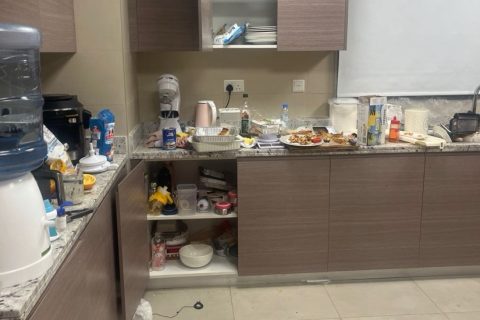
Maya, who has ADHD and whose own tricks gave the app its idea, says "just start" does not work for her, and that when she hears it she feels misunderstood. What does help her, she says, is a timer of five, ten or fifteen minutes: she does as much as she can, then pauses, or carries on if she feels like it. It does not always work, but it helps her begin very often.
What should a cleaning motivation app do?
You can check any app, ours included, against five questions. Each of them is something you can also do without an app, and the app is only worth it if it makes that thing easier than a notebook would.
- Does it have a timer you can start at once? A time limit turns an open-ended job into a short one, and you get to stop.
- Does it tell you what to do? If you have to choose a room and then choose a task, the choosing is the work you are avoiding.
- Is it in front of you without opening it? What you do not see, you do not do. A reminder or a widget does that job.
- Does it give you something back? A tick, a photo of the difference, a small reward.
- Can you start without setting it all up? An app that opens empty hands the decisions back to you.
If you would like to do this on paper first, the free ADHD cleaning checklist breaks each room into small tasks you can tick off.
How ADHD Cleaning Planner helps you start
ADHD Cleaning Planner is an iPhone and Android app that needs no account. Its main job is the plan for the day, which we explain in a screen-by-screen tour of the app. This page covers only the parts that help with starting. The screenshots are from the iPhone version, and the buttons are quoted as the app names them.
1. A timer in one tap
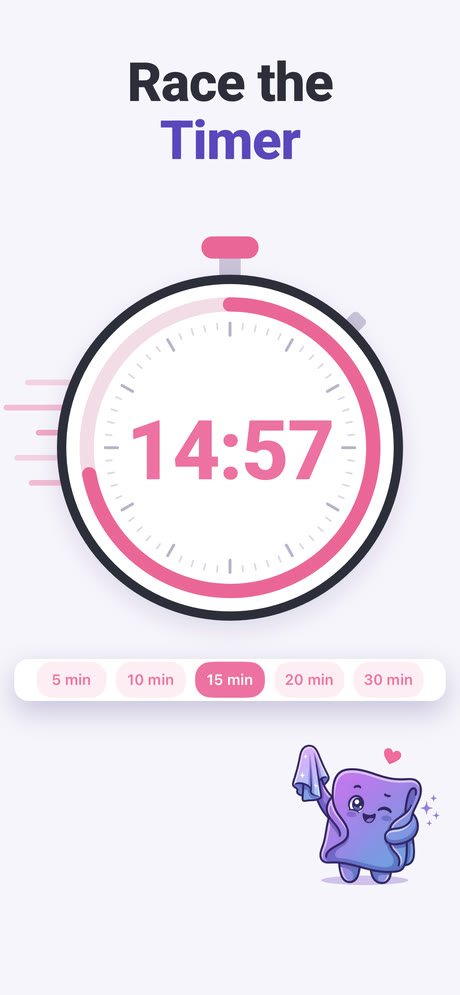
Open a room and choose Start timer. The Set Timer screen asks "How many minutes?" and the screenshot shows five choices: 5, 10, 15, 20 and 30 minutes. Pick one and a countdown runs under the title "Race the Timer". When it ends the app sends a notification that says "Time's up!" and "Your cleaning timer is done. Nice focus!", even if the phone is locked. The free plan includes the timer.
The app's welcome challenge works the same way. It asks you to clear one messy surface in two minutes, and offers "Need more time? No problem, tap here" if you want longer. If you do not want a photo or a recording, the button "Just the timer, please" skips them.
2. The next task on your Home Screen
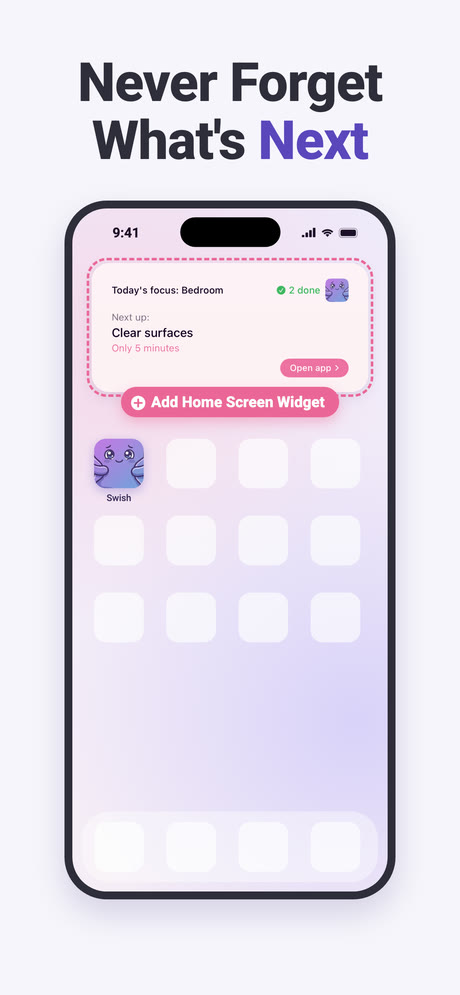
The widget shows "Today's focus" with the room, the next task under "Next up:", how long it takes ("Only 5 minutes" in the picture) and how many tasks you have done. When the plan is finished it says "Your plan is done" and "The rest can wait until tomorrow", so there is a place where you are allowed to stop. In the app, Settings has a Widget section with a "Show me how" button that walks you through adding it.
3. A reminder at the time you choose
In Settings, Notifications gives you daily reminders at a "Reminder time" you set. The app asks for permission first, as your phone requires, and you can turn it off again. The messages are small asks, not lists. One of them says: "Don't 'clean.' Just set a 60-second timer and see what happens."
4. When even the first step feels like too much
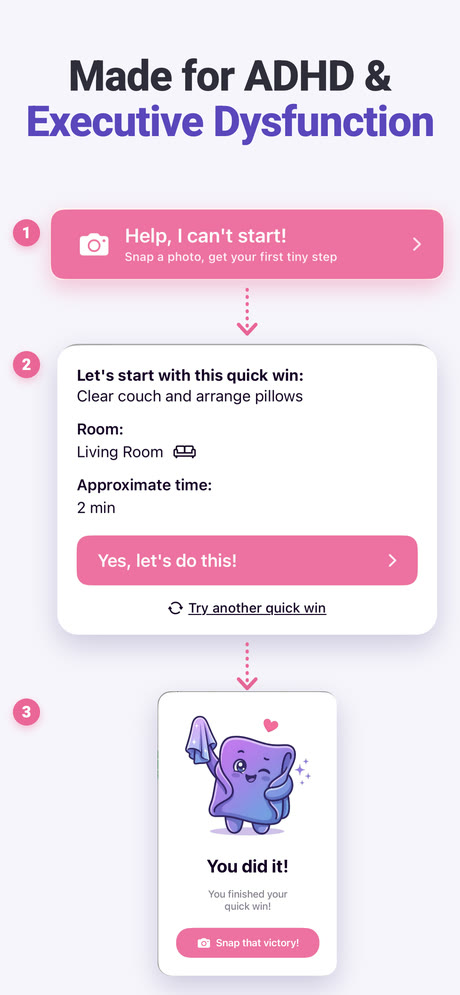
On the main screen the Help, I can't start! button turns a photo of the mess into a few tiny steps, or offers a five-minute quick win in one named room, with a "Yes, let's do this!" button. How that works is explained in what an app for ADHD task paralysis should do.
5. Something back when you finish
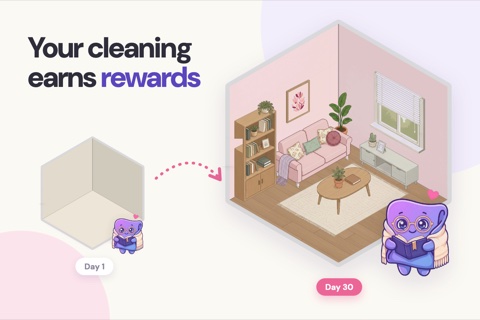
Maya says recording a timelapse of herself helps her enormously: watching the mess disappear at speed is fun, motivating and satisfying. In the app, timelapses and before and after photos go to a gallery called My Wins, and finished goals unlock pieces of a home you decorate, which we describe in the gamified cleaning app guide. Timelapses and before and after photos use credits: you start with 8 free ones, and Premium unlocks everything.
What it does not do
It will not make you want to clean. It makes the first step smaller, and some days that will still not be enough. A reminder can be swiped away like any other, and a widget can become wallpaper.
It is also a single-person app. There is no household, no shared plan and no way to nudge a partner or a flatmate, so if your motivation problem is about splitting chores, it will not help with that. And it is newer than most apps it sits next to: today its App Store listing shows 4.8 from 118 ratings, a good average on a small number. If you want to compare it with others, we looked at the best cleaning apps for ADHD, ours included.
If you have felt too low to clean for weeks, that is bigger than a method or an app, and a doctor or another professional is the right person to talk to.
Is a cleaning motivation app worth it?
If the hard part for you is starting, then yes: a timer, a named task and a reminder remove the three decisions that stop you. Choose an app that asks for little setup, and keep your expectations small. ADHD Cleaning Planner was built around five minutes and one task.
Frequently asked questions
What is the best cleaning motivation app?
The best one is the one that makes the first minute easiest for you. Look for a timer you can start in one tap, a plan that names today's task so you do not have to choose, a reminder you can set and a small reward after you finish. If an app asks for a long setup before any of that, it will not help on a day when you have no energy.
Is there a free cleaning motivation app?
Yes, several apps have a free version. ADHD Cleaning Planner has a free plan that lets you tick off daily and weekly tasks, keep the house up with the plan, start the timer and add and edit rooms and tasks. Some features, such as before and after photos and timelapses, use credits or Premium. The store listing shows what is current.
How do I motivate myself to clean when I have no energy?
Do not aim for clean. Aim for one small thing, such as clearing one surface, and set a timer for five minutes. You are allowed to stop when it rings. If you feel like it, carry on. If weeks go by like this and you feel low most days, that is more than a cleaning problem, and a doctor or another professional is the right person to talk to.
Do cleaning apps really work?
They help with specific things: deciding what to clean, starting, and seeing what you did. They cannot clean for you or make you want to, and a reminder can be ignored like any other. An app is a way to make starting smaller, not a replacement for starting.